Delegating Stake
If you want to participate in staking but don't want to run your own infrastructure, you can delegate your tokens to professional operators who run sequencers on your behalf.
Before You Delegate
Understanding these concepts will help you choose the right operator:
- Staking Tokens - how proof of stake works
- Economics & Rewards - how rewards are distributed
- How governance works - understand voting power
How Delegation Works
When you delegate tokens to an operator:
- Your tokens are staked through the operator's validator
- The operator runs infrastructure on your behalf
- Rewards are shared between you and the operator based on their fee structure
- Slashing risk is shared - if the operator misbehaves, your delegated stake can be slashed
Choosing an Operator
When selecting an operator to delegate to, consider:
Performance Metrics
- Uptime: How reliably does the operator maintain their infrastructure?
- Attestation Rate: Do they consistently participate in consensus?
- Slashing History: Have they been slashed before?
Economic Terms
- Commission Rate: What percentage of rewards does the operator keep?
- Minimum Delegation: Is there a minimum amount required?
Reputation
- Track Record: How long have they been operating?
- Community Standing: Are they known in the Aztec community?
- Transparency: Do they communicate openly about their operations?
Delegation Process
Prerequisites
- An Ethereum wallet that owns an Aztec Token Vault (the same wallet you connected during the token sale)
- A Token Vault balance of at least 200,000 AZTEC tokens
You must stake a minimum of 200,000 AZTEC per validator — similar to how Ethereum requires 32 ETH per validator.
Step 1: Connect Your Wallet
Navigate to staking.aztec.network and click Connect Wallet. Connect the wallet that owns your Token Vaults.
The dashboard displays all your Token Vaults and an overview of the assets under your control. Click on any Token Vault to view details such as its vesting schedule.
Step 2: Navigate to the Stake Tab
Above the Token Vaults overview, select the Stake tab. You are presented with two options: Delegate and Self-Stake. Choose Delegate.
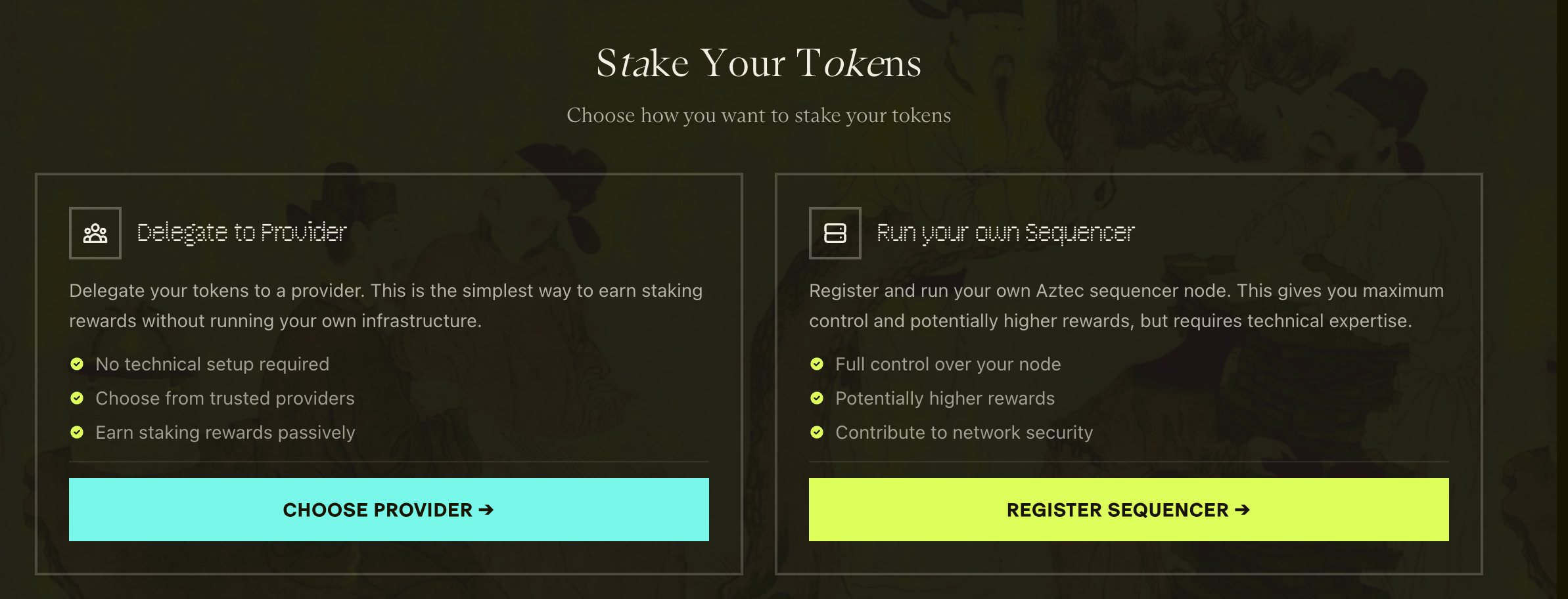
With delegation, you pay a commission to a provider who runs a sequencer on your behalf. With self-stake, you run your own sequencer, pay no commission, and contribute directly to network decentralization. See the Sequencer Setup Guide if you prefer self-staking.
The following steps add transactions to a queue — nothing is submitted to the chain until you reach Step 9. At that point, Gnosis Safe wallets execute everything as a single batched transaction, while EOA wallets submit each transaction one by one.
Step 3: Choose a Provider
Click Choose Provider and inspect the delegation table to find your preferred operator. Click on any provider to view details including their contact information, commission rate, and capacity.
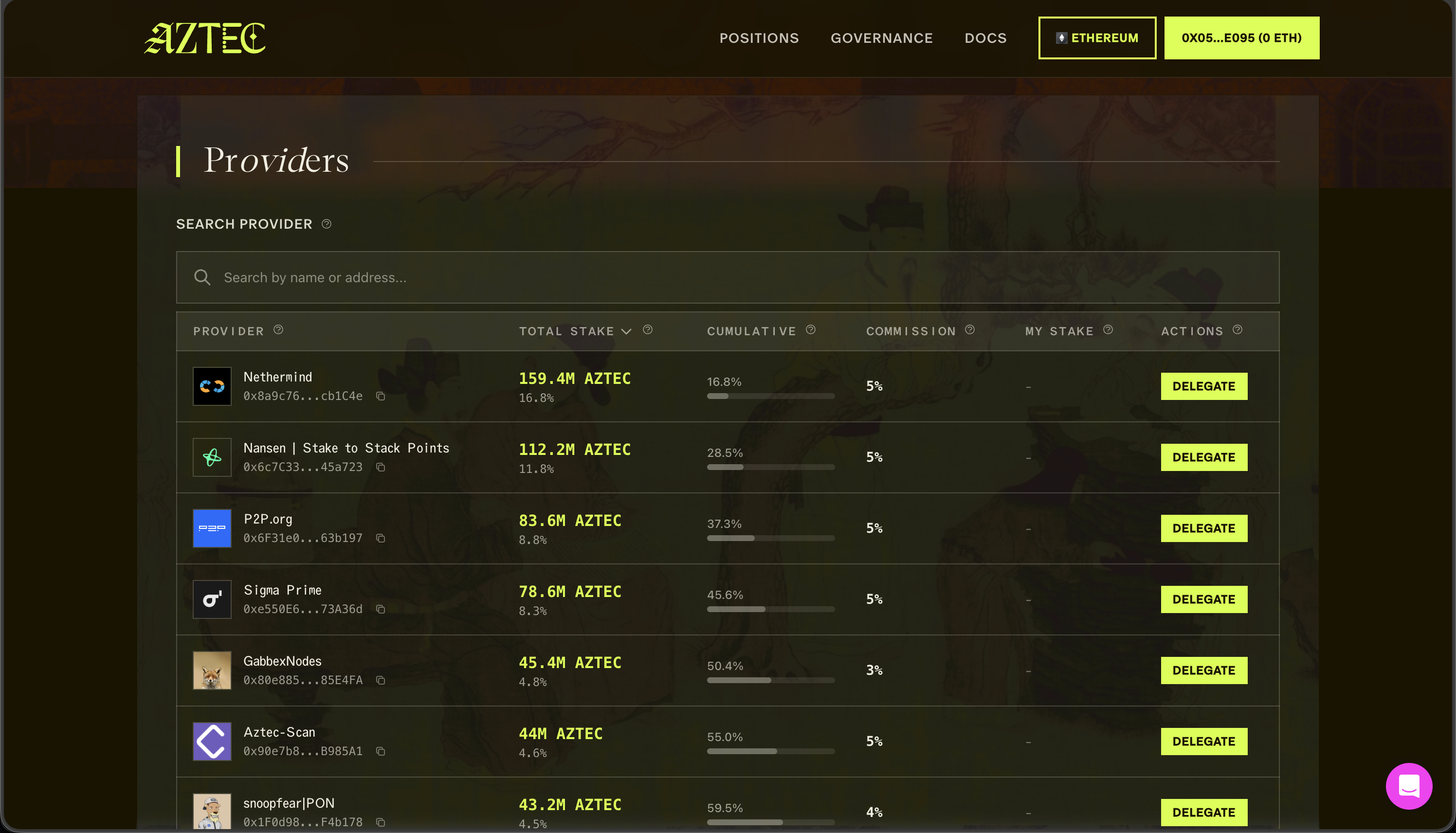
Click delegate stake to continue.
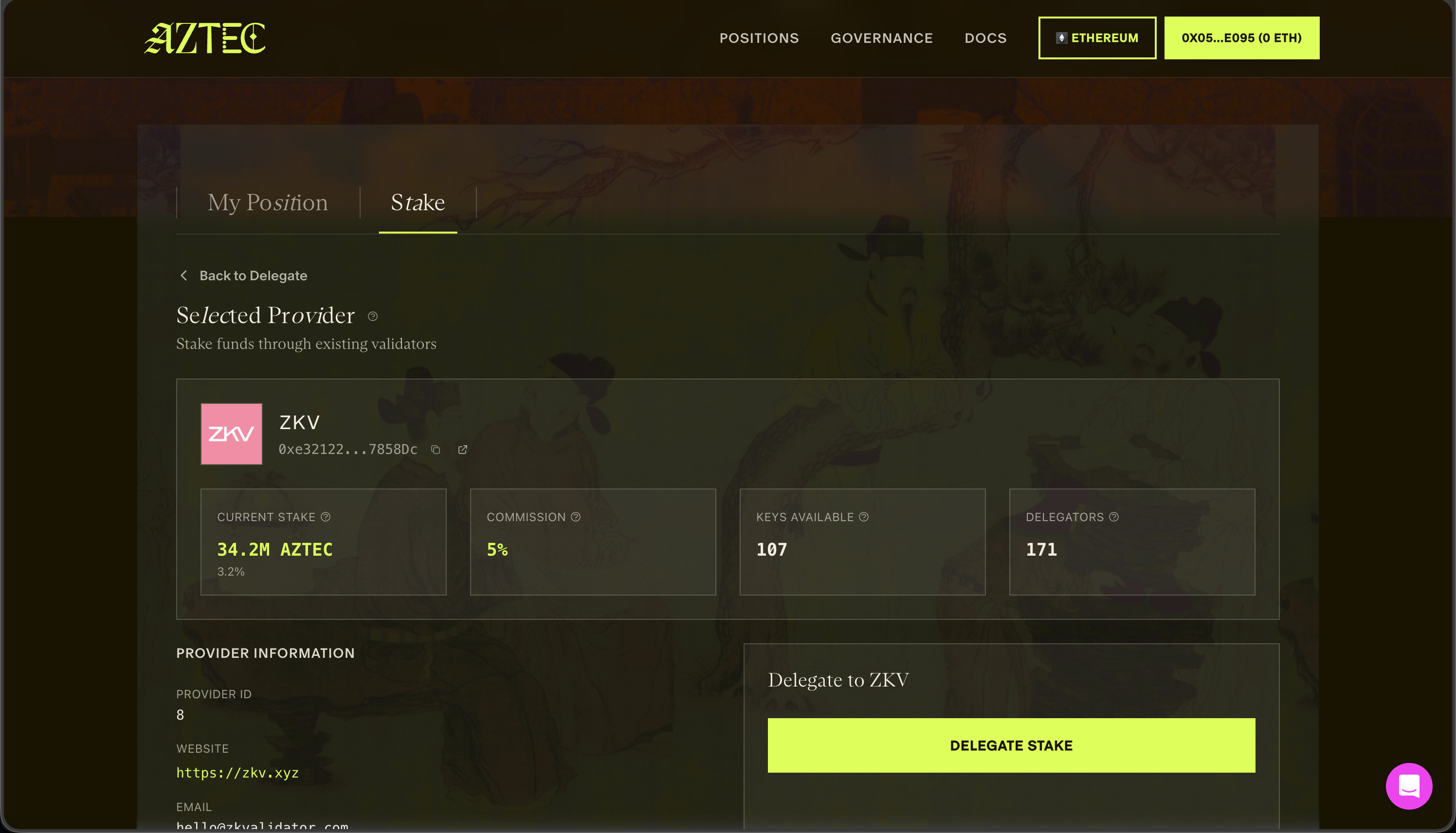
Some providers appear greyed out because they are not currently accepting delegations (usually because they have not registered enough sequencer keys). You can contact them directly or choose another provider.
One of your responsibilities as a delegator is choosing good providers without overly centralizing the network. Avoid providers that already have very high staking concentration.
Step 4: Select Token Vault and Amount
Choose a Token Vault with at least 200,000 tokens available. Then select how much you want to delegate.
Your delegation amount is capped by:
- The provider's remaining capacity (they must have registered enough keys to run additional validators), or
- Your available token balance
whichever is lower.
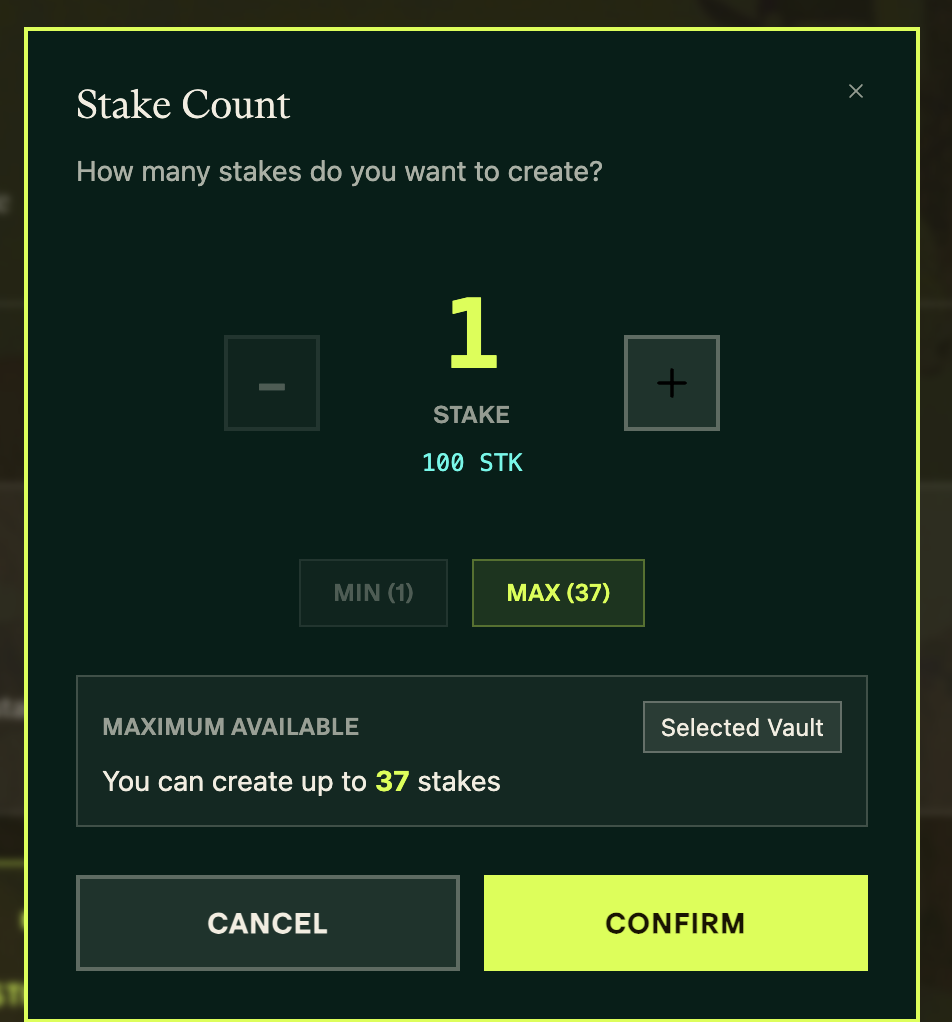
You cannot consolidate multiple Token Vaults into a single delegation. Each vault must be staked individually.
Step 5: Set Operator Address
The operator address controls block submissions for this vault. Confirm the address is correct — this determines who manages sequencer operations and receives reward attribution.
The staking dashboard defaults the operator to the connected wallet address. If you need a separate operator address for security separation, interact directly with the staking contracts via the CLI.
Click Add to Batch to continue.
Setting the operator address is a one-time action per Token Vault. If the vault already has an operator configured, this step is skipped automatically.
Step 6: Select Staking Version
Every Token Vault uses a Staker Contract that handles staking and unstaking operations. Governance may periodically approve new staker contract versions that add features (such as unstaking) or improve security.
On the Set Staker Version screen, upgrade to Latest to stay current with governance-approved contracts, or select a specific older version. The dashboard describes each version's capabilities.
Click Add to Batch to continue.
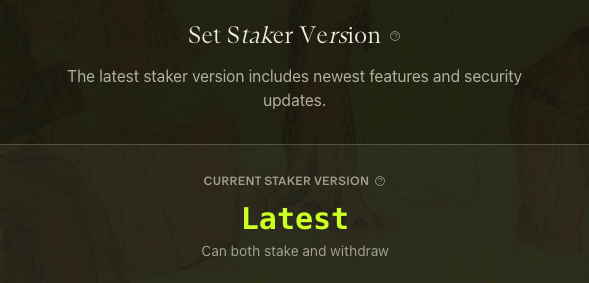
Selecting the staking version is a one-time action per Token Vault. If the vault already has a staker version configured, this step is skipped automatically.
Step 7: Approve Tokens
Approve the staker contract to move funds from your Token Vault. Each validator requires 200,000 tokens, so the approval amount matches your delegation.
Step 8: Delegate
Review your delegation configuration and click Delegate / Add to Batch.
Step 9: Execute Batch
Review the full set of queued transactions and click Execute All.
When you delegate again from a vault that already has an operator and staker version configured, Steps 5 and 6 are skipped — making future delegations faster.
Managing Your Delegation
Monitoring Performance
Keep track of your delegated stake:
- Check operator uptime and performance
- Monitor for any slashing events
- Review reward distributions
Changing Operators
If you want to switch to a different operator:
- Initiate undelegation from your current operator
- Wait for the unbonding period
- Delegate to your new chosen operator
Voting with Delegated Stake
By default, when you delegate to an operator, they may vote on your behalf in governance decisions.
To maintain control over your votes:
- Check if the operator allows custom voting preferences
- Consider delegating voting power separately from stake
- See Voting on Proposals for voting options
Next Steps
- Learn about voting with your staked or delegated tokens
- Staking Tokens to understand slashing risks
- Run your own validator if you prefer direct control